Quick answer: Web design for plumbers has one job: turn visitors into calls. A good site puts your phone number at the top, lists every service on its own page, and shows proof you can be trusted.
It loads fast on a phone and makes calling easy. If a visitor cannot reach you in seconds, the site is failing, no matter how nice it looks.
What this guide covers
- What web design for plumbers must do: get calls
- Pages you need
- Home page layout: what goes at the top
- Trust signals: license, insurance, real photos, reviews
- Click to call and emergency options
- Mobile and speed
- SEO built in
- Cost factors
- DIY or agency
- Mistakes that cost plumbers calls
- 20 point website checklist
- Common questions
What web design for plumbers must do: get calls
A plumber website is not a brochure. It is a sales tool. Its job is to turn a search into a phone call.
Most visitors arrive with an urgent problem. A leak, a clog, or no hot water.
They do not read your whole site. They scan for a number and proof you can help.
If they cannot find your number fast, they call the next plumber. Good design removes every barrier between a visitor and a call. Every page should push toward one action: call or book.
Design also works with traffic. Search brings visitors to your site, but design turns them into jobs.
A post on SEO for plumbers explains how visitors find you. This post covers what your site must do once they arrive.
Pages you need
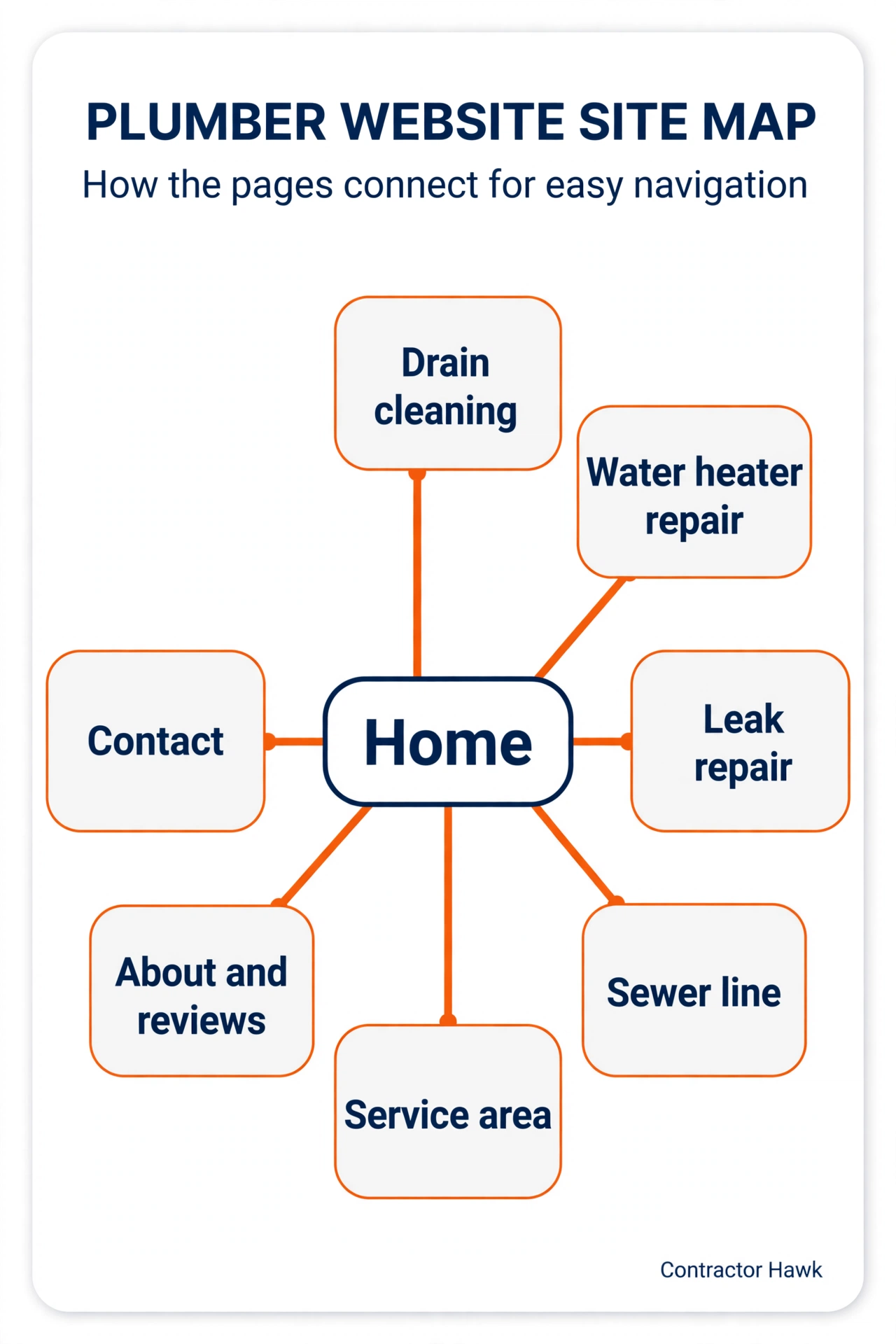
Every plumber site needs the same core pages. Each page has one job. Together they answer every question a caller might have.
| Page | What it covers | Why it matters |
|---|---|---|
| Home | Services, area, trust signals | First impression, fast path to call |
| Drain cleaning | Drain service details | Matches drain searches |
| Water heater repair | Repair and install details | Matches heater searches |
| Leak repair | Leak detection and repair | Matches leak searches |
| Sewer line | Sewer repair and replacement | Matches sewer searches |
| Service area | Towns and areas you serve | Matches local searches |
| About and reviews | Your team and customer reviews | Builds trust before the call |
| Contact | Form, booking, and phone | Captures after hours demand |
One page per service matters most. A single services page cannot rank for drain cleaning, water heater repair, and leak repair at once. Separate pages let each service match what a homeowner types into Google.
Keep each page short and focused. A visitor should know in seconds what the page offers and how to reach you. Long pages that mix many services confuse visitors and search engines alike.
Home page layout: what goes at the top
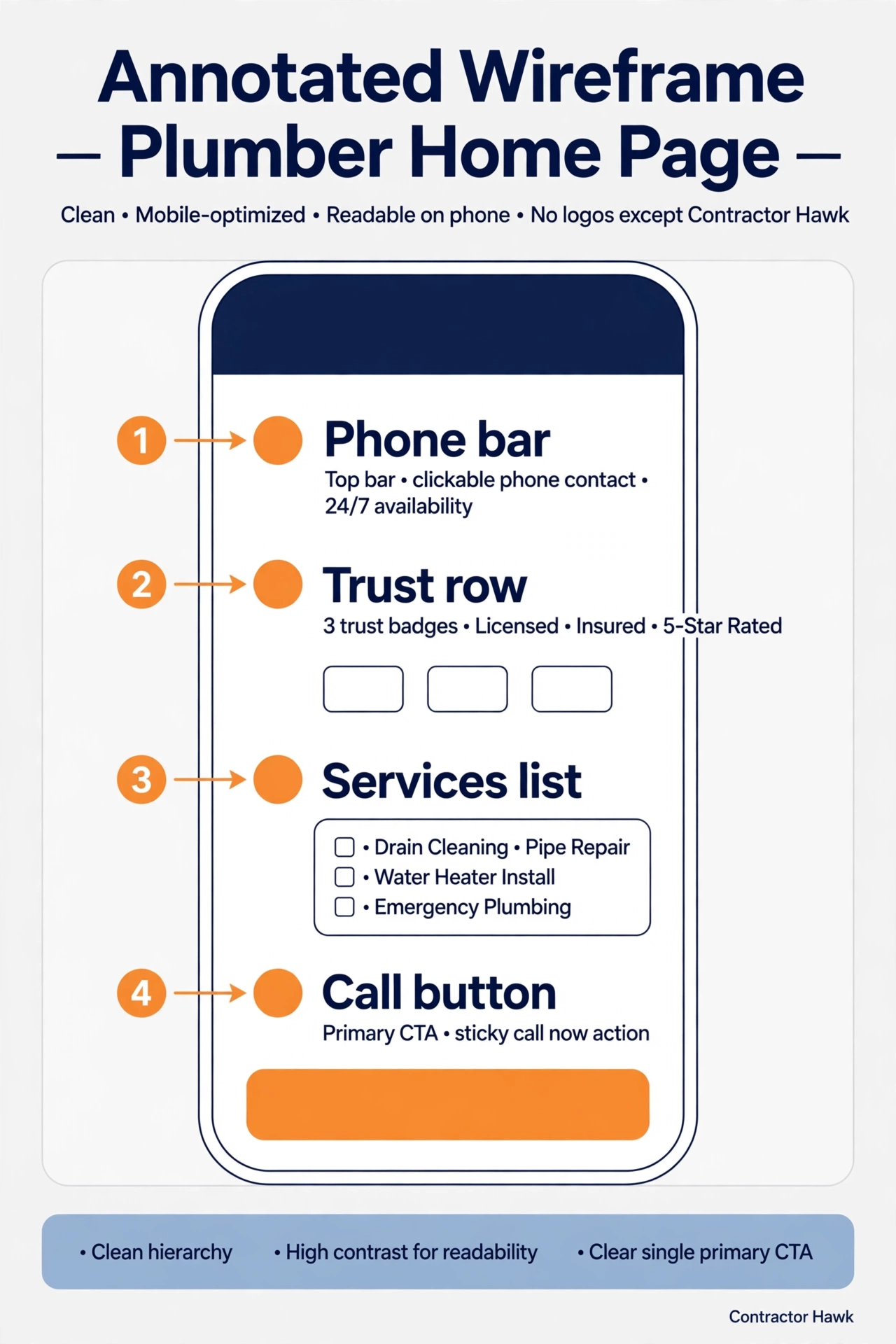
The top of your home page decides whether a visitor stays. Put your phone number, your service area, and your emergency line where they cannot be missed.
Below that, show what you do in plain words. Then add trust signals: reviews, license, and real photos. Then list your services with links to each service page.
End the home page with a clear next step. A call button and a short form cover both kinds of visitors. Some want to talk now, and some want to book later.
The layout below shows the order that works. Phone first, proof second, services third, and a clear call to action last. Every part earns its place by helping a visitor call you.
Trust signals: license, insurance, real photos, reviews
A homeowner lets a stranger into their house. Trust matters more than fancy design.
Show your license number on your site. State that you carry insurance.
Use real photos of your team and your jobs. Stock photos look fake, and homeowners can tell. Real photos prove you do the work you claim.
Show reviews on your home page. Link to your Google reviews so visitors can check them.
Never post fake reviews or pay for them. One fake review can destroy trust for good.
Trust signals also help you stand out from low cost rivals. A homeowner who sees a license, real photos, and honest reviews will call you first. Price matters less once trust is built.
Click to call and emergency options
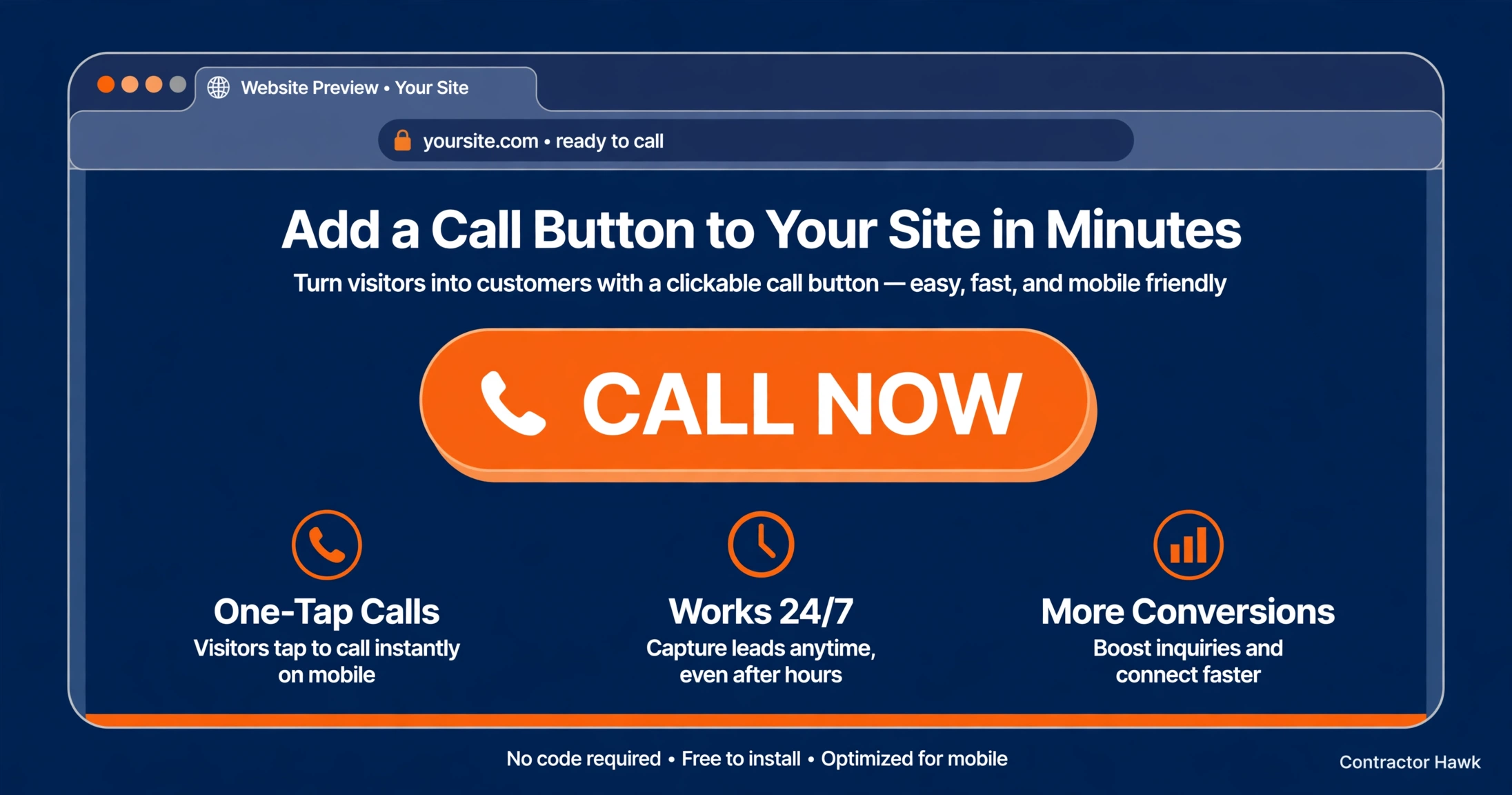
Most plumbing calls come from phones. A click to call button lets a visitor call you with one tap. Put it at the top of every page and keep it visible as visitors scroll.
Plumbing emergencies happen at night. An emergency banner tells visitors you take urgent calls after hours. State your emergency hours in plain words.
If you do not offer 24 hour service, say so. A clear message beats a missed call. Tell visitors when you open and offer a form for non urgent jobs.
Test the call button on your own phone. Tap it and see if it dials the right number. A broken call button loses jobs silently, because no one tells you it failed.
Mobile and speed
Google now looks at the mobile version of your site first when it ranks pages. A site that works only on a desktop will fall behind.
Test your site on a real phone, not just a computer. Google explains mobile first indexing in its mobile first indexing guide.
Speed matters too. Google says nearly half of visitors leave a mobile site that takes more than three seconds to load.
Slow pages lose calls before you ever get a chance. Google lists this and other mobile tips in its guide to mobile friendly sites.
Test your pages with PageSpeed Insights, a free Google tool. It shows what slows your site down. Common fixes are smaller images, fewer scripts, and better hosting.
A technical SEO guide for plumbers covers speed and mobile fixes in more detail. Work through that checklist after you fix the big items here.
SEO built in
Good web design for plumbers includes SEO from the start. Every page needs a clear title tag and one main heading. Each service page should target one service and one area.
Link your pages together. Service pages should link to your home page and to related services. Internal links help visitors and help Google understand your site.
Add alt text to every image so Google can read what it shows. Add schema markup for a local business if your developer can do it. A technical SEO checklist for plumbers lists each item in order.
SEO brings the traffic that design turns into calls. A guide to SEO for plumbers explains the full picture. Build the site right once, and both parts work together.
Cost factors
Website cost depends on what you need. Page count, custom design, photos, booking tools, and written content all change the price.
A small template site costs less than a custom site with booking and SEO built in.
Plan for ongoing costs too. Hosting, domain renewal, and monthly care keep your site fast and safe. A site you never update will slow down and fall behind.
Do not judge a site by price alone. A cheap site that brings no calls is the most expensive option. Ask what is included: pages, copywriting, photos, speed work, and tracking.
Also ask who owns the site and the domain. You should own both. If you leave a provider, your site should leave with you.
Your website is one part of a bigger system. A guide to digital marketing for plumbers explains how a site fits with ads, SEO, and reviews. Budget for the system, not just the site.
DIY or agency
You can build a site yourself with a template builder. It costs less money but takes your time. You must also handle speed, SEO basics, and tracking on your own.
An agency builds the site for you. It should handle design, copy, SEO setup, and call tracking. Ask to see plumber sites they built and ask what monthly care includes.
Either path can work. The test is the same: does the site bring calls? A marketing partner that works only with plumbing companies can build and run the whole system for you.
Before you sign with anyone, ask who writes the content and who owns the site. Get the answers in writing. A good partner will answer both questions without hesitation.
Mistakes that cost plumbers calls
Most plumber sites lose calls for the same reasons. Fix these first.
- No phone number at the top of the page.
- One page that lists every service at once.
- Stock photos and no real job photos.
- Slow pages and tiny buttons on a phone.
- No reviews shown on the site.
- A contact form that asks for too much.
- No emergency message after hours.
Each mistake is easy to fix. Work through them one by one and test the site on your own phone after each fix.
20 point website checklist
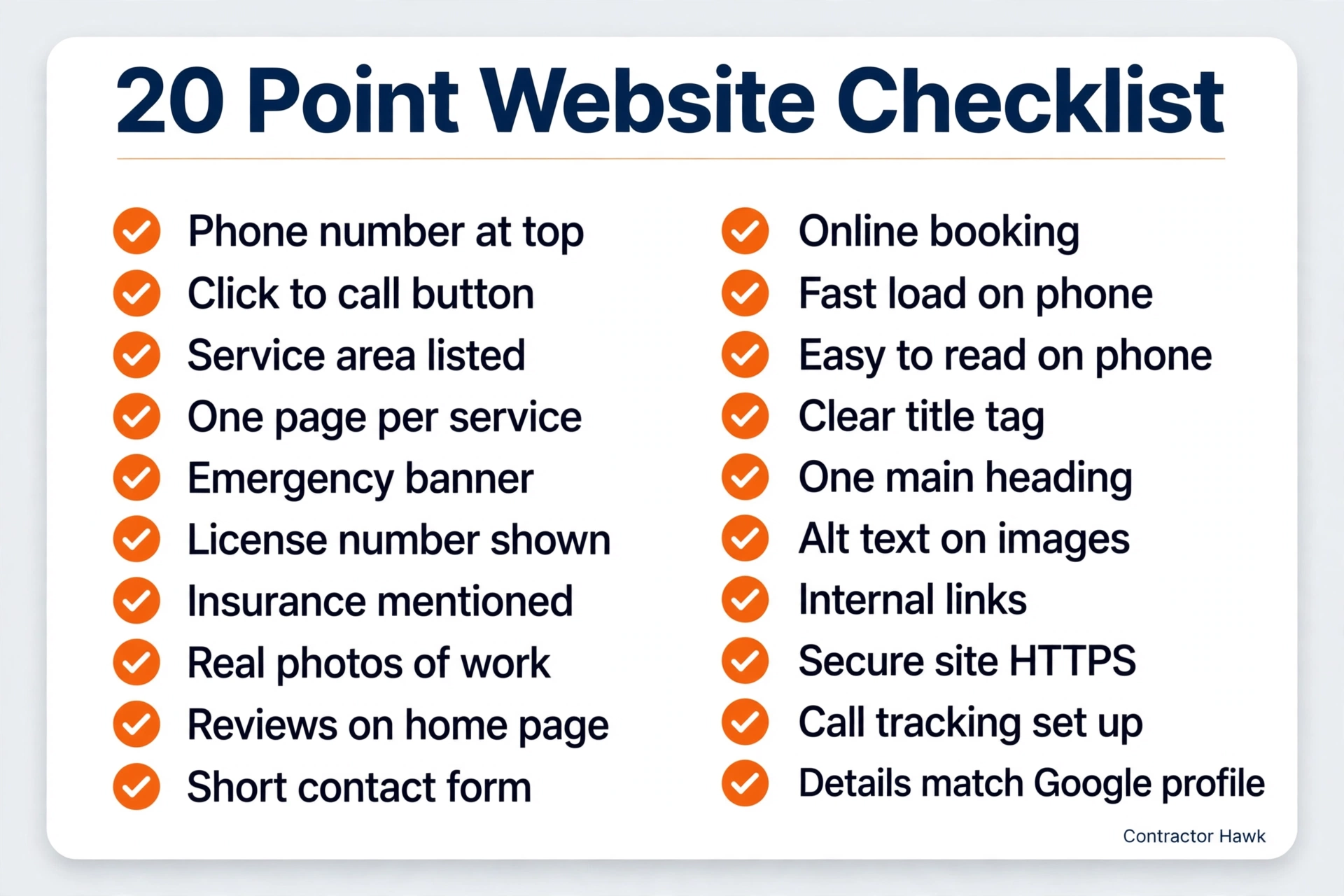
Use this checklist before you launch or rebuild a site. Check each item on a phone, not just a computer.
- Phone number at the top of every page.
- Click to call button on mobile.
- Service area listed clearly.
- One page for each main service.
- Emergency service banner.
- License number shown.
- Insurance mentioned.
- Real photos of your work.
- Reviews on the home page.
- Short contact form: name, phone, message.
- Online booking option.
- Fast load on a phone.
- Easy to read on a small screen.
- Clear title tag on every page.
- One main heading per page.
- Alt text on images.
- Internal links between pages.
- Secure site with HTTPS.
- Call tracking set up.
- Contact details match your Google profile.
Common questions
What pages does a plumber website need?
A plumber site needs a home page, one page for each main service, and a service area page. It also needs an about page, a reviews page, and a contact page.
Service pages matter most because each one can rank for its own service. Keep every page focused on one job so visitors and Google both understand it fast.
How much does a plumber website cost?
Cost depends on page count, custom design, photos, booking tools, and written content. A small template site costs less than a custom site with booking and SEO built in.
Ask what is included before you compare quotes. A cheap site that brings no calls costs more in lost jobs than a good site ever will.
Do I need online booking?
Online booking helps because some customers prefer to book without calling. It works best next to a phone number, not instead of it.
Most plumbing jobs still start with a call, since the problem needs a quick talk. Offer both options so you catch every kind of customer.
What should be on the home page?
Your home page needs a phone number, service area, and emergency line at the top. Below that, list your services, show reviews and real photos, and state your license.
End with a call button and a short form. A visitor should know what you do, where you work, and how to reach you in seconds.
How important is mobile design?
Mobile design is the most important part of web design for plumbers. Google ranks the mobile version of your site first.
Most visitors arrive on a phone, often with an urgent problem. If buttons are small, text is hard to read, or pages load slowly, visitors leave and call the next plumber.
Template or custom?
A template works for a small shop with a tight budget and simple needs. It launches fast and costs less.
A custom site fits a larger shop that needs booking, many service pages, and SEO built in from the start. Choose by what brings calls, not by what looks fanciest.
Get more calls from your website
Good web design for plumbers pays for itself in calls. If your site does not bring calls every week, something on this checklist is missing. Get a free audit and see what to fix first.