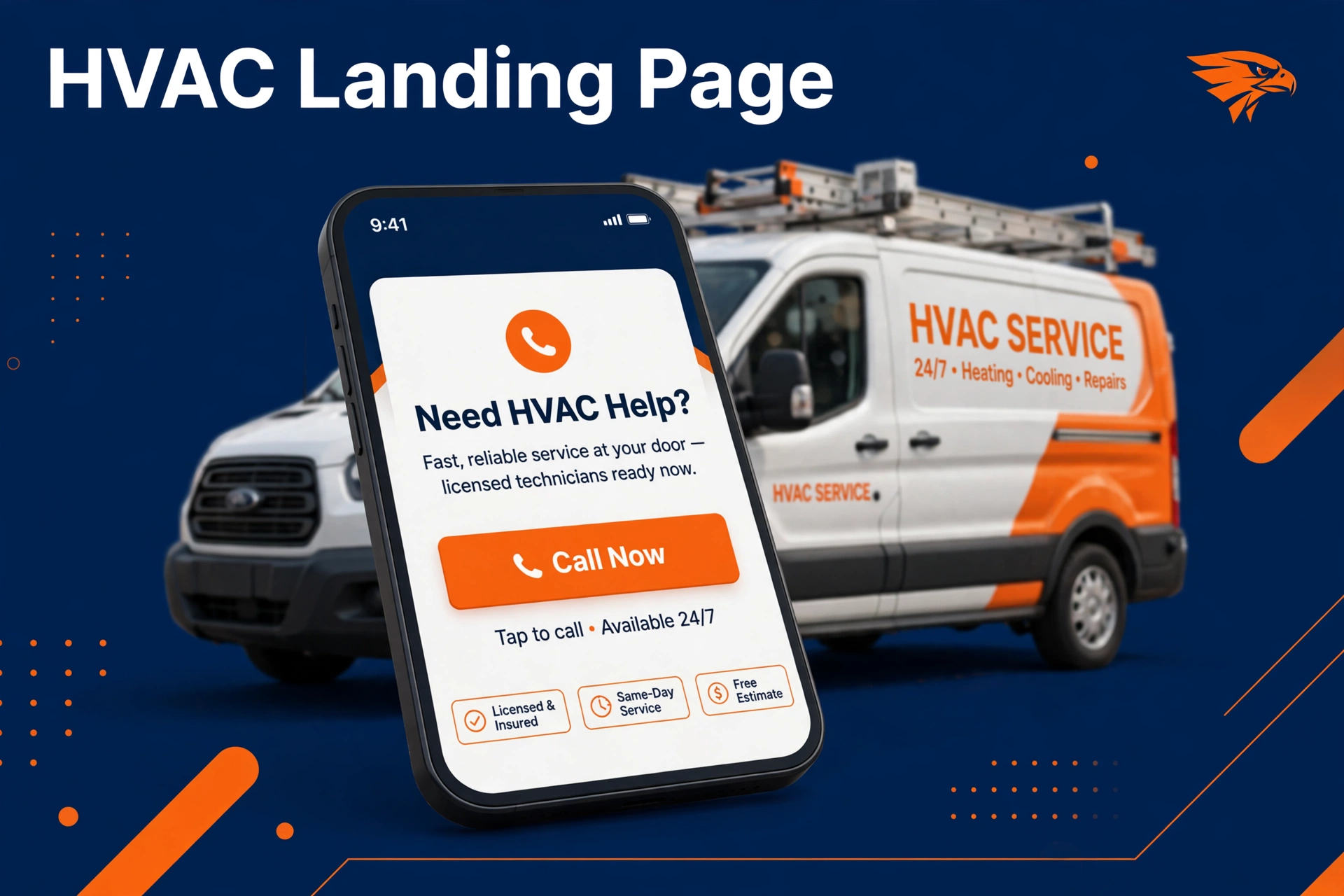
An hvac landing page is a single page built for one job: turning an emergency AC repair search into a phone call. The searcher is hot, stressed, and holding a phone. Your page has one task: get that call.
Most HVAC websites send ad clicks to the homepage. The homepage talks about everything, so the hot caller bounces and calls your competitor. A landing page matches the search, shows the phone number big, and removes every reason to leave.
This guide is not about pretty design. It is about repair call economics: which page elements earn calls, which cost more than they earn, and how you decide where to spend. Every section answers one question: does this element pay for itself in calls.
Quick answer: what do I do, and is it worth my money?
- What to do: Build one page per main service and match the headline to the search. Put a big tap to call button above the fold and again at the bottom. Add reviews, your license number, and a short backup form.
- Is it worth it: Yes, if you run paid ads. You already pay for every click. A page that turns more clicks into calls lowers your cost per call, with no change to your ad budget.
Table of contents
- What an HVAC landing page must do to earn the call
- Page elements, ranked by the calls they earn
- The sticky call button: the one element you never skip
- Trust elements that make a stranger willing to call
- The form is a backup, not the lead
- The cost versus calls trade for each element
- Your landing page build checklist
- Mistakes HVAC owners make with landing pages
- Frequently asked questions
What an HVAC landing page must do to earn the call
Think about the moment of the search. It is 8 pm, the AC is blowing warm air, and the house is heating up.
The homeowner types “AC repair near me” and taps the first result. They call the page that makes calling easy, and they leave the page that makes them read.
Your page has one metric: calls per visitor. Every element must pass this test: does this make a stressed person more likely to tap the call button. If an element does not push calls, it is decoration.
Your ads already do the expensive part. They find the hot searcher and pay for the click. The landing page finishes the job.
A weak page wastes the click you already bought. See how HVAC Google Ads feeds emergency searches to this page.
Page elements, ranked by the calls they earn
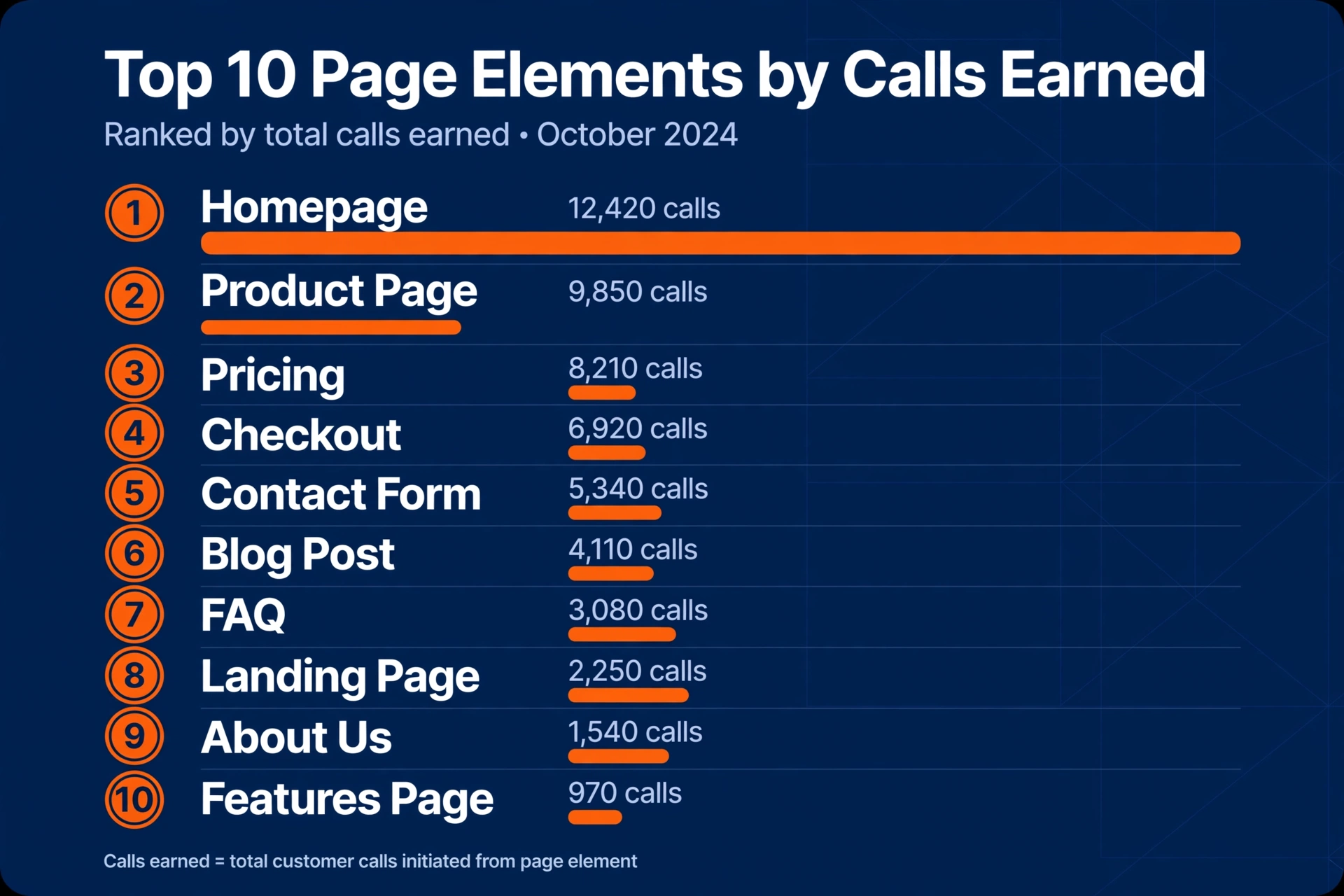
Not every element earns its place. The list below runs in order, from the element that earns the most calls to the one that earns the least. Start at the top and stop when your budget or your time runs out.
- A big phone number at the top. This is the whole game. A huge tap to call button in the first screen earns more calls than everything else combined.
- A headline that matches the search. If they searched “AC repair”, the headline says “Fast AC Repair”. Matching words tell the brain it is in the right place, and the finger keeps moving to the phone number.
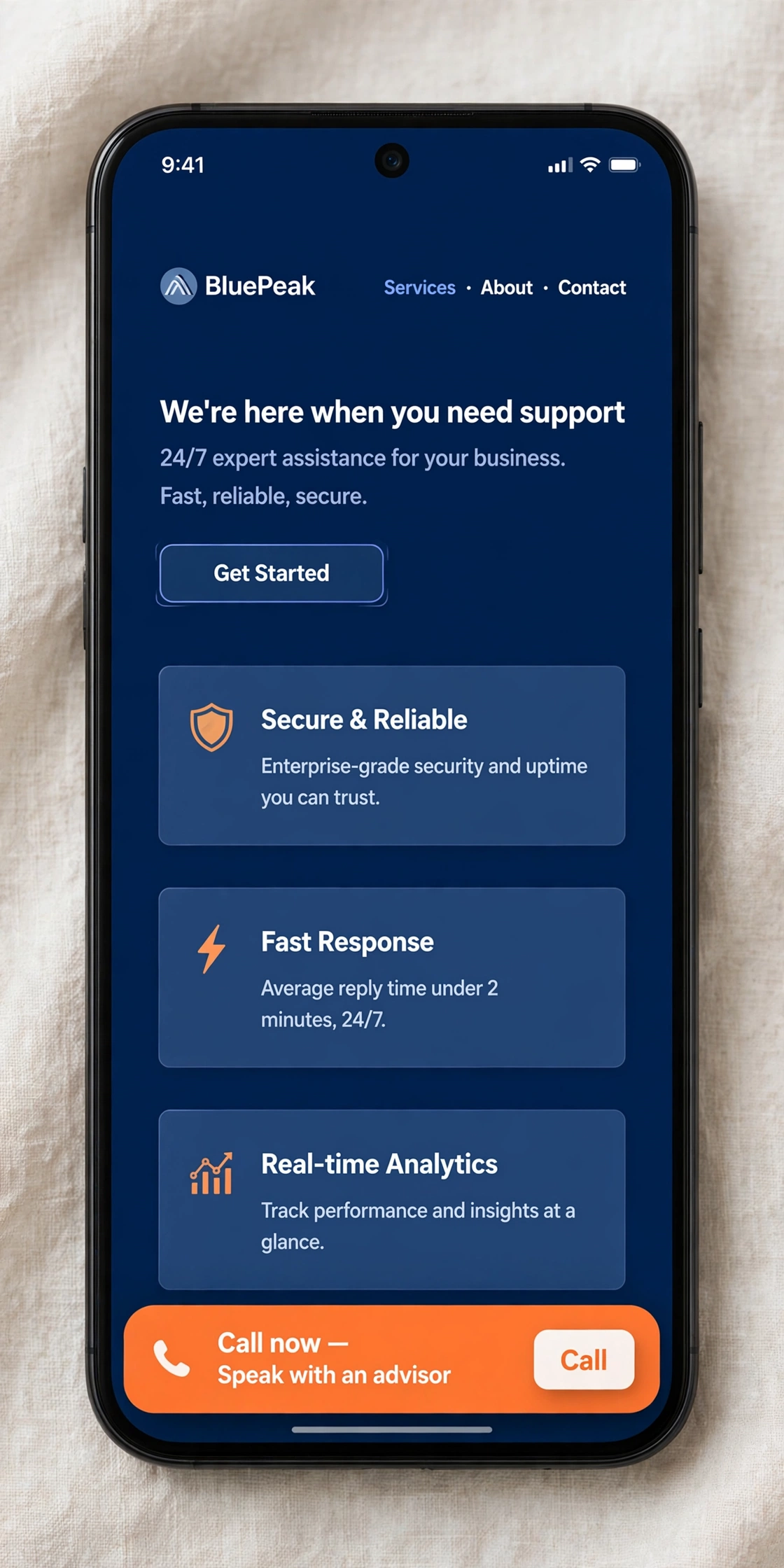
- A sticky call bar that follows the scroll. Most people scroll before they call. A call button that stays on screen turns scrollers into callers. Skip this and you lose the second half of your visitors.
- Reviews with names and stars. Strangers do not call strangers. A set of recent reviews with names and star ratings lowers the fear of the first call.
- Your license number and a real local address. A license number and a real address say you are a real shop, not a lead broker. It costs you one line of text.
- Photos of your real trucks and techs. Stock photos of smiling models earn nothing. Real trucks and real uniforms earn trust, and trust earns calls.
- A short backup form. A name and phone number field catches the few who will not call. Keep it to two fields. Every extra field cuts completions.
- Your service area list. “We serve these towns” stops the question “do they come to me.” It earns a few calls a month for almost no cost.
- Short service descriptions. Almost nobody reads these before calling. Keep them short and plain, mostly for Google.
- Awards, badges, and fancy sliders. These earn the least. Add them last, if ever.
The sticky call button: the one element you never skip
The sticky call bar is a call button that stays on screen while the visitor scrolls. On a phone, most visitors scroll at least once before they decide. If the button is still there when they decide, they tap it.
It costs little to add and it works on every page you run ads to. One rule: the bar must call your real answered line, never a voicemail box. A button that leads to voicemail teaches people not to call you.
Traffic from HVAC Facebook Ads behaves the same way. Social scrollers move fast, and the sticky button is still the cheapest call catcher you own.
Trust elements that make a stranger willing to call
A caller is trusting a stranger with their home. Three elements lower that fear, and each one is cheap. Reviews with names and star ratings prove other homeowners called and were happy.
Your license number and a real local address prove you are a real shop. Keep your Google Business Profile active too, since the Google Verified mark and fresh reviews greet the searcher before they ever reach your page.
Photos of your real trucks and techs close the loop. A stranger in a branded uniform feels safer than a stranger in a stock photo. Trust is what turns “maybe later” into a call now.
The form is a backup, not the lead
The phone is the lead. Most repair searches happen in a moment of stress, and nobody in that moment wants to fill out a form and wait. Make the call path the biggest, brightest path on the page.
The form exists for the few who will not call. Keep it to name and phone number. Call them back fast, because a slow callback is a lost job.
The cost versus calls trade for each element
Here is each element with its typical cost to you and the calls it typically earns. Costs vary by market and provider, so treat these as typical patterns, not promises.
| Element | Typical cost to you | Calls it typically earns |
|---|---|---|
| Big tap to call number at the top | One time setup by your web person | Highest. More calls than all other elements combined. |
| Headline matched to the search | Your time, under an hour per page | High. Confirms the visitor is in the right place. |
| Sticky call bar on scroll | Small one time setup fee | High. Catches visitors who scroll before they call. |
| Reviews with names and stars | Your time asking happy customers | High. Lowers the fear of the first call. |
| License number and local address | Free. One line of text. | Medium. Proves you are a real local shop. |
| Real truck and tech photos | One afternoon with a phone camera | Medium. Trust turns into calls. |
| Short backup form | Small one time setup fee | Low to medium. Catches the few who will not call. |
| Service area list | Free. One line of text. | Low. Answers “do they come to me.” |
| Short service descriptions | Your time writing, or a writer fee | Very low for calls. Mostly helps Google rank the page. |
| Awards, badges, and sliders | Design fees | Lowest. Add these last, if ever. |
Your landing page build checklist
Work this list in order. Each step earns its place before the next one costs you money.
- Write the headline from the search term. AC repair page says “Fast AC Repair”. Heating repair page says “Fast Heating Repair”. Match the words.
- Put the tap to call button at the top. Big, orange, and impossible to miss. Test it on your own phone.
- Add the sticky call bar. It should follow the scroll on every phone screen size. Call it from a friend’s phone to confirm.
- Add your real reviews. Pull them from your Google Business Profile. Names and stars, newest first.
- Add your license number and address. One line near the bottom. Real shop, real town.
- Add real photos. Trucks, techs, and real job sites. Skip the stock photos.
- Add the short backup form. Name and phone number only. Test it by submitting it yourself.
- Link the page to your ads. Point your AC repair ads at the AC repair page, not the homepage. One search, one page.
- Answer the phone. The best page in the world earns nothing if the call goes to voicemail. Fix coverage before you buy more clicks.
Mistakes HVAC owners make with landing pages
These mistakes show up in almost every audit where the owner says the ads do not work.
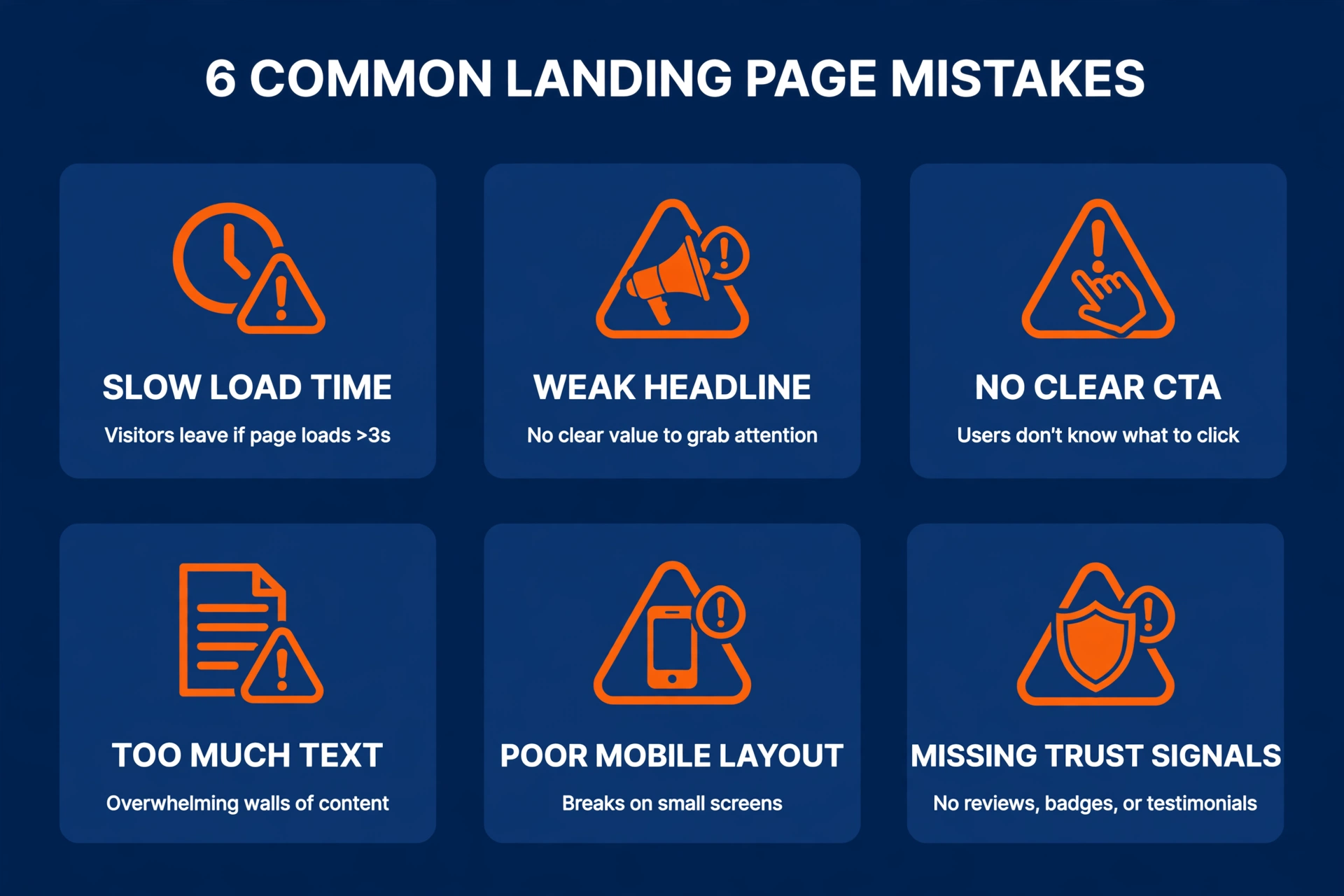
- Sending ad clicks to the homepage. The homepage talks about everything, so the hot caller leaves. Every ad deserves its own page. See HVAC Google Ads done right: one search, one page, one phone number.
- Burying the phone number. If the caller must hunt for the number, they will not hunt. They will hit back and call the next shop. Put the number where a thumb can reach it.
- Asking for too much in the form. Address, system age, and preferred time slot can wait. Every extra field is a reason to quit. Name and phone number is the whole form.
- Using stock photos of strangers. Your customers will open the door to a real person. Show the real people. Stock models make the page feel like a lead broker.
- Letting calls go to voicemail. The page did its job and the phone failed. Missed calls are the most expensive mistake on this list, because you already paid for the click. A marketing agency for HVAC companies will show you this in your first audit.
- Judging the page after one week. Give it enough calls to see a pattern. One quiet week is noise, not a verdict. If the whole site feels dated, our HVAC web design guide shows where to start.
Frequently asked questions
What is the difference between an HVAC landing page and my website homepage?
Your homepage talks to everyone: installs, maintenance, about us, and careers. An HVAC landing page talks to one person with one problem, usually an AC or heater that stopped working. One page, one headline, one phone number, and no links that lead the visitor away.
That focus is why landing pages turn more ad clicks into calls than homepages do.
Do I need a separate landing page for every service I offer?
No, start with the services that make your phone ring: AC repair, heating repair, and system replacement. One strong page per service beats ten thin pages. Build the repair pages first, because emergency searches carry the highest intent.
Add maintenance or indoor air quality pages later, once the repair pages earn calls.
How long does it take to build a landing page that turns calls?
A simple page takes two to four weeks from draft to live, in most markets. The slow part is usually gathering real photos and reviews, not the building. Timelines vary by market and by how fast your web person works, so ask for a start date in writing.
While you wait, make sure someone answers the phone.
Should my landing page have a contact form or just a phone number?
Lead with the phone number, because most repair callers will not wait for a callback. Keep a short form as a backup for the few who prefer typing. Name and phone number is enough.
Anything more, like address or system age, can wait until you call them back. Long forms quietly kill the leads the ads already paid for.
How do I know if my landing page is earning its keep?
Track calls per visitor, which most call tracking tools show by page. If the number climbs after you add the big call button and the reviews, the page is paying for itself.
If it stays flat, test one change at a time: the headline, the button color, or the photo. One test per week keeps the results clear.
Build the page for the caller, not for yourself. Big number, sticky button, real reviews, and an answered phone will beat any pretty design.
Want a second pair of eyes on your pages? Request a free audit and we will show you which elements earn calls and which ones waste your budget.
Our promise: 10 new customers in 60 days, or your third month is free. See the terms.