Good HVAC web design is simple. A homeowner with a broken AC opens your site on a phone. They need three things fast: what you do, where you work, and how to call you.
If they find all three in seconds, you get the call. If not, they tap back and call your competitor. This guide shows what your site must have, what you can skip, and how to audit your own site in ten minutes.
No tech talk. Just what works.
Quick answer:
- Your site has one job: turn visitors into calls and booked jobs.
- What to do: make it fast on phones, put your number at the top of every page, and give each service its own page.
- Is it worth the money? Yes. A site that books even a few extra jobs a year pays for itself many times over.
- What to skip: sliders, stock photos, and bloated pages that say nothing.
On this page:
- What Should You Do, and Is It Worth the Money?
- HVAC Web Design Must Haves for Contractors
- Make Your Site Load Fast on a Phone
- Build for Thumbs, Not Desks
- Give Each Service Its Own Page
- Trust Signals That Win the Call
- What to Skip: Things That Cost Money and Bring No Calls
- Rebuild, Fix, or Leave It Alone?
- The 10 Minute Phone Audit
- Common Mistakes HVAC Owners Make
- HVAC Web Design FAQs
- What to Do Next
What Should You Do, and Is It Worth the Money?
Start with this truth. Your website is the only marketing asset you truly own. Ads stop the day you stop paying.
Your site keeps working while you are on a job, at dinner, or asleep.
So what should you do? Fix the basics first. Make the site fast.
Make the phone number impossible to miss. Write one clear page for each service you offer. Add real reviews and real photos.
That is most of the job.
Is it worth the money? Do simple math. If your site brings even two extra jobs a month that you would have lost to a competitor, what is that worth over a year?
For most shops, the answer is many times what a good site costs. Spend on speed and clarity, not on looks. Learn what affects HVAC website cost before you sign anything.

HVAC Web Design Must Haves for Contractors
A good HVAC website has six things. You need a click to call number at the top, fast loading on phones, and one page per service. Add real reviews, real photos of your team, and a short contact form.
Skip sliders, stock photos, and long paragraphs. If a visitor cannot call you in ten seconds, the design failed.
Click to call number at the top. Put your phone number in the header of every page. Make it a tap to call link, not plain text.
On a phone, one tap should start the call.
Many owners bury the number in the footer. That is like hiding your shop sign. Pair it with call tracking for your HVAC company so you know which pages bring calls.
Fast loading on phones. A slow site loses the call before the page even shows up. Homeowners will not wait.
We cover speed in detail below, because it is that important.
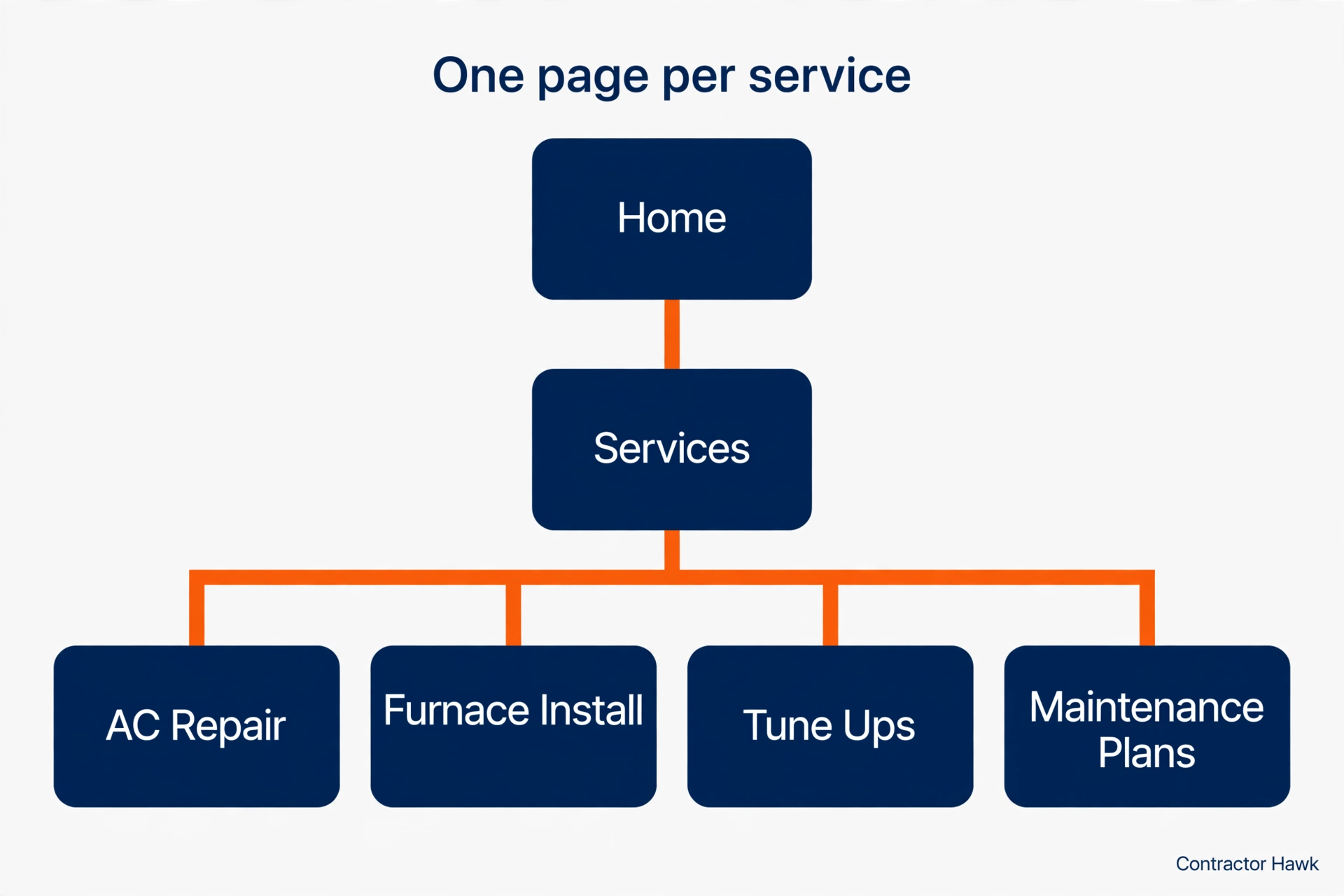
One page per service. AC repair gets its own page. Furnace install gets its own page.
Tune ups get their own page. One crowded services page helps no one and ranks for nothing.
Real reviews on the page. Show your Google reviews with stars, right where visitors look. Do not hide them on a testimonials page nobody opens.
Real photos of your team. Your techs, your trucks, your installs. A stock photo of a smiling model tells the visitor nothing about you.
A short contact form. Name, phone, service needed, and a message box. That is enough.
Every extra field is one more reason to quit.
Make Your Site Load Fast on a Phone
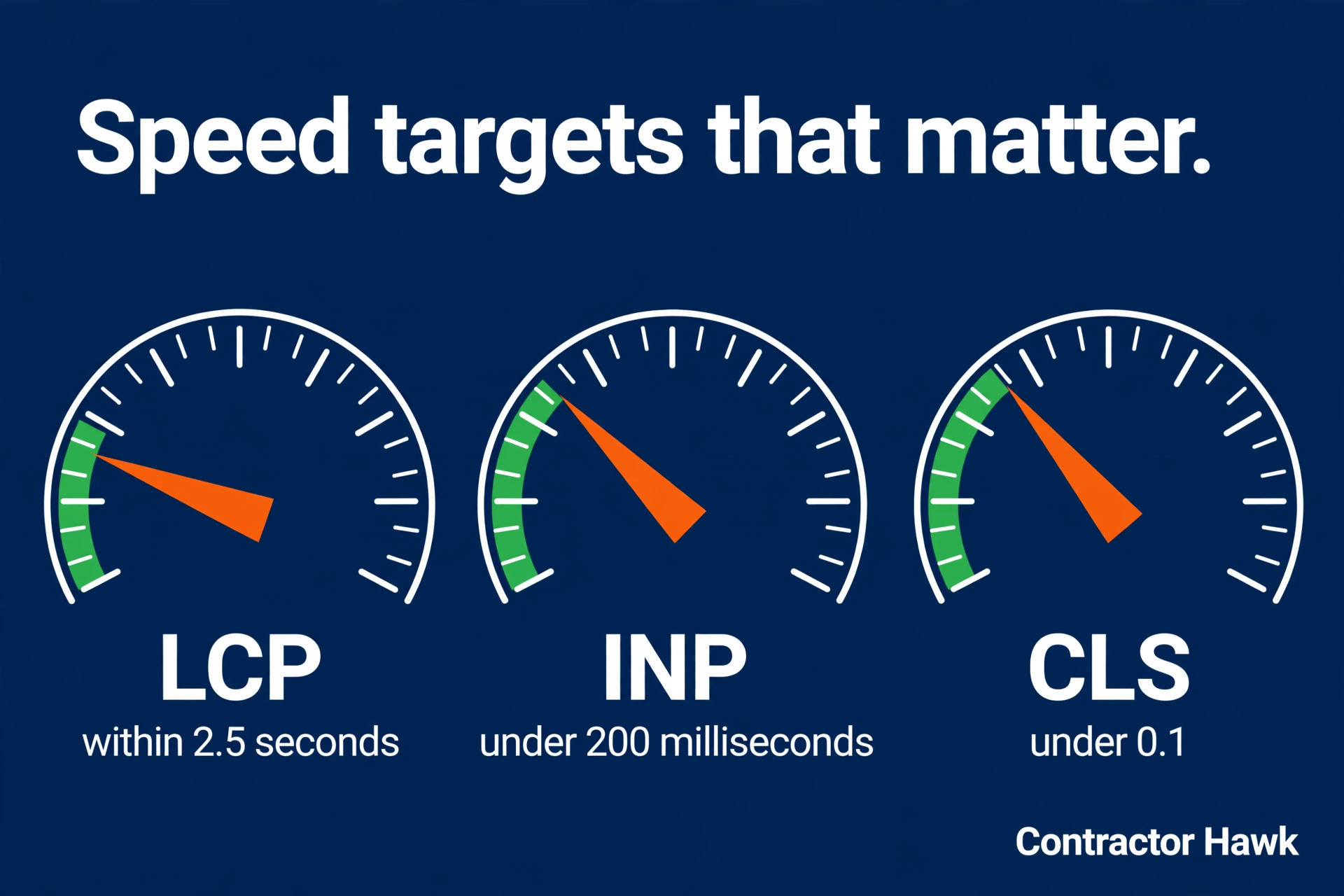
Speed is not a nice extra. It is the foundation. Google says its ranking systems use Core Web Vitals, which measure real loading experience.
The targets are plain. The main content should show within 2.5 seconds. The page should react to taps in under 200 milliseconds.
Things should not jump around while loading.
You do not need to memorize those numbers. You need to know what slows a site down. Big uncompressed photos are the top cause.
Sliders come next. Then too many plugins doing jobs nobody asked for. Cheap slow hosting finishes the job.
Here is the fix, in order. Compress every image before it goes up. Remove the homepage slider.
Delete plugins you do not use. If the site is still slow, talk to your host or your web person about faster hosting. Test with Google’s free speed test and write down the before and after scores, so you know the work actually helped.
Speed and search go together. Our guide to HVAC website SEO basics shows how speed, mobile layout, and simple code help you show up when homeowners search.
Build for Thumbs, Not Desks
Most of your visitors are on a phone. Many are standing next to a dead AC unit. Design for that person first, then check the desktop later.
Make buttons big enough for thumbs. Keep the call button stuck to the bottom of the screen as people scroll, so the number is always one tap away. Link your address to a map app.
Keep forms short, with big fields that are easy to fill on a small screen.
Skip anything that covers the screen. Popups that block the whole page annoy visitors, and Google’s page experience guide warns against intrusive interstitials that make content hard to reach. If a popup must exist, make it small and easy to close.
Test on a real phone, not just a desktop preview. Open your site the way a customer would. If you have to pinch, zoom, or hunt for the number, your customers do too, and most will not bother.

Give Each Service Its Own Page
One “Services” page that lists everything is one of the most common mistakes we see. A homeowner searching for furnace repair does not want a list. They want a furnace repair page that answers their questions.
Give each main service its own page: AC repair, AC install, furnace repair, furnace install, tune ups, and maintenance plans. Each page should say what the service includes, when a homeowner needs it, what affects the price, which towns you serve, and how to book. End every page with the same clear call button.
Keep the writing plain. Explain it the way you would explain it at the kitchen table. A short video of you talking through a common repair can help too, but words on the page do the heavy lifting for Google.
A dedicated landing page built to win AC repair calls can turn ad clicks and search visits into booked jobs. It works better than a general service page.
Trust Signals That Win the Call
A homeowner is about to let a stranger into their house. Your website has to answer one silent question: can I trust these people? Trust signals do that job.
Reviews first. Show real Google reviews with your star rating on the home page and on service pages. Use recent ones.
A wall of five star reviews from three years ago looks frozen. Ask happy customers for reviews after every job, and keep new ones coming.
Real photos, always. Your technicians, your trucks, your installs. Before and after photos of real jobs beat any stock gallery.
If your team is camera shy, start with trucks and equipment. Real beats perfect.
Licenses and certifications, stated plainly. List your license number, your insurance, and certs like NATE or manufacturer training. Do not make visitors dig for this.
Put the key ones near your contact form, where the decision happens.
A real about page. Say who owns the company, how long you have served the area, and which towns you cover. One honest paragraph beats a page of mission statement fluff.
Homeowners hire people, not slogans.
What to Skip: Things That Cost Money and Bring No Calls
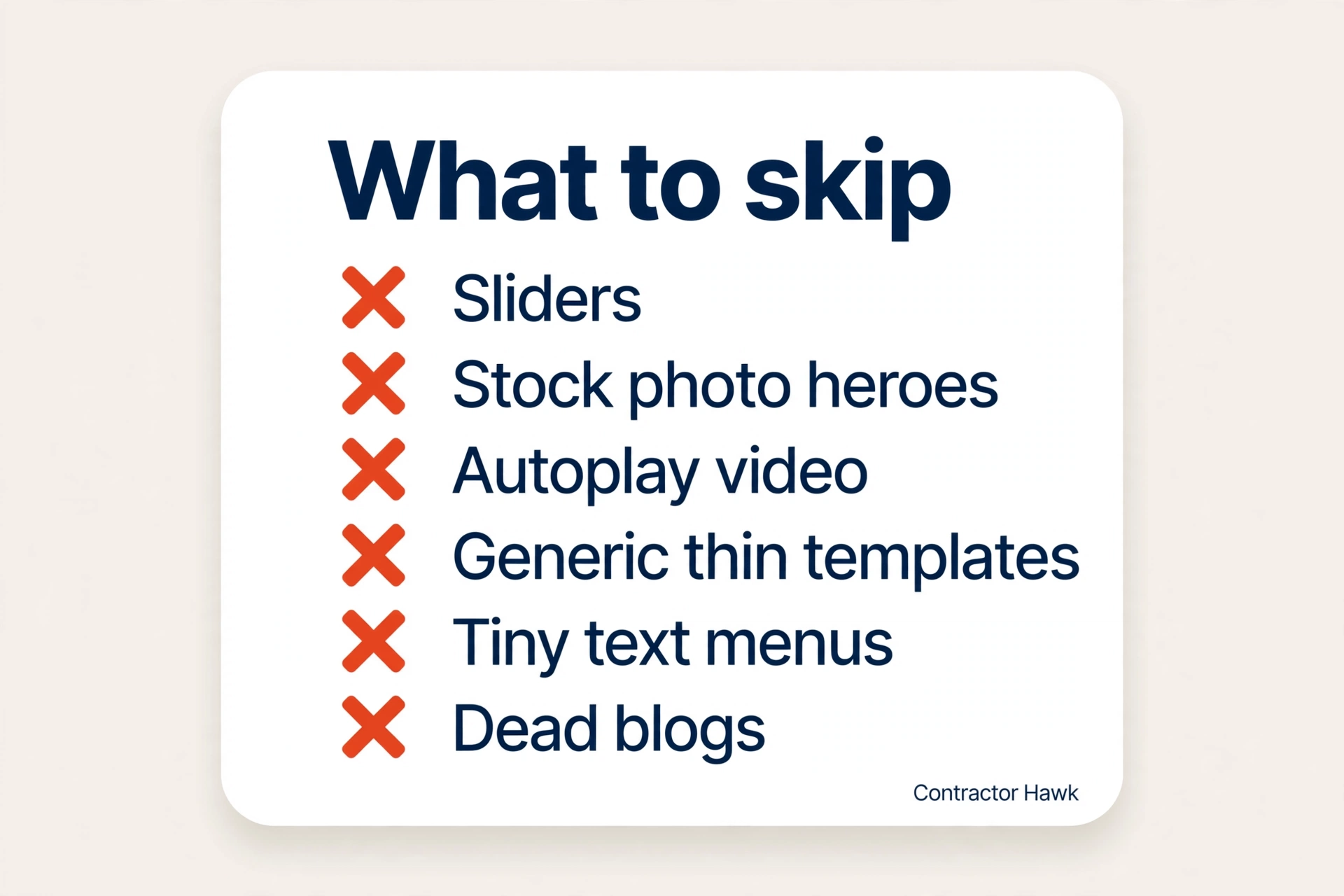
Web designers love to sell features. You only need the ones that bring calls. Here is what to skip, and why.
Homepage sliders. That rotating banner looks fancy and slows everything down. It also pushes your phone number further down the page.
Most visitors never wait for slide two. One clear headline and one call button beat five slides every time.
Stock photo heroes. A giant photo of a smiling model holding a wrench tells the visitor nothing. It also looks exactly like your competitor’s site, because it probably is the same photo.
Use your team or skip the big photo and lead with words.
Autoplay video backgrounds. They crawl on phones, eat mobile data, and annoy people who just want your number. If you want video, use a short clip lower on the page that visitors choose to play.
Generic templates with no service pages. A pretty five page template with thin content will not rank and will not convert. Google cannot rank pages that say nothing.
Neither can a visitor decide from them.
Tiny text and clever menus. Fancy fonts and hidden menus look modern and lose customers. If a 60 year old cannot read it or find your number in seconds, the design failed its one job.
A blog nobody feeds. A blog with three posts from two years ago looks abandoned. If you will write useful answers regularly, a blog helps.
If not, skip it until you are ready. A dead blog is worse than no blog.
Rebuild, Fix, or Leave It Alone?
Not every site needs a rebuild. Use this table to decide.
| Your situation | Best move | Why | Watch out for |
|---|---|---|---|
| Site is old, slow, and brings few calls | Rebuild | Patching old tech costs more over time | Get a clear list of pages and features first |
| Site looks fine but loads slow on phones | Fix the speed | Often just images and plugins | Ask for before and after speed scores |
| Site is new, fast, and brings calls | Leave it | Do not fix what works | Keep content fresh and reviews coming |
| DIY site that never ranked or converted | Rebuild or strong fix | The foundation decides everything | Skip the cheapest quote with no plan |
The 10 Minute Phone Audit
Grab your phone. Open your site. Answer these ten questions honestly.
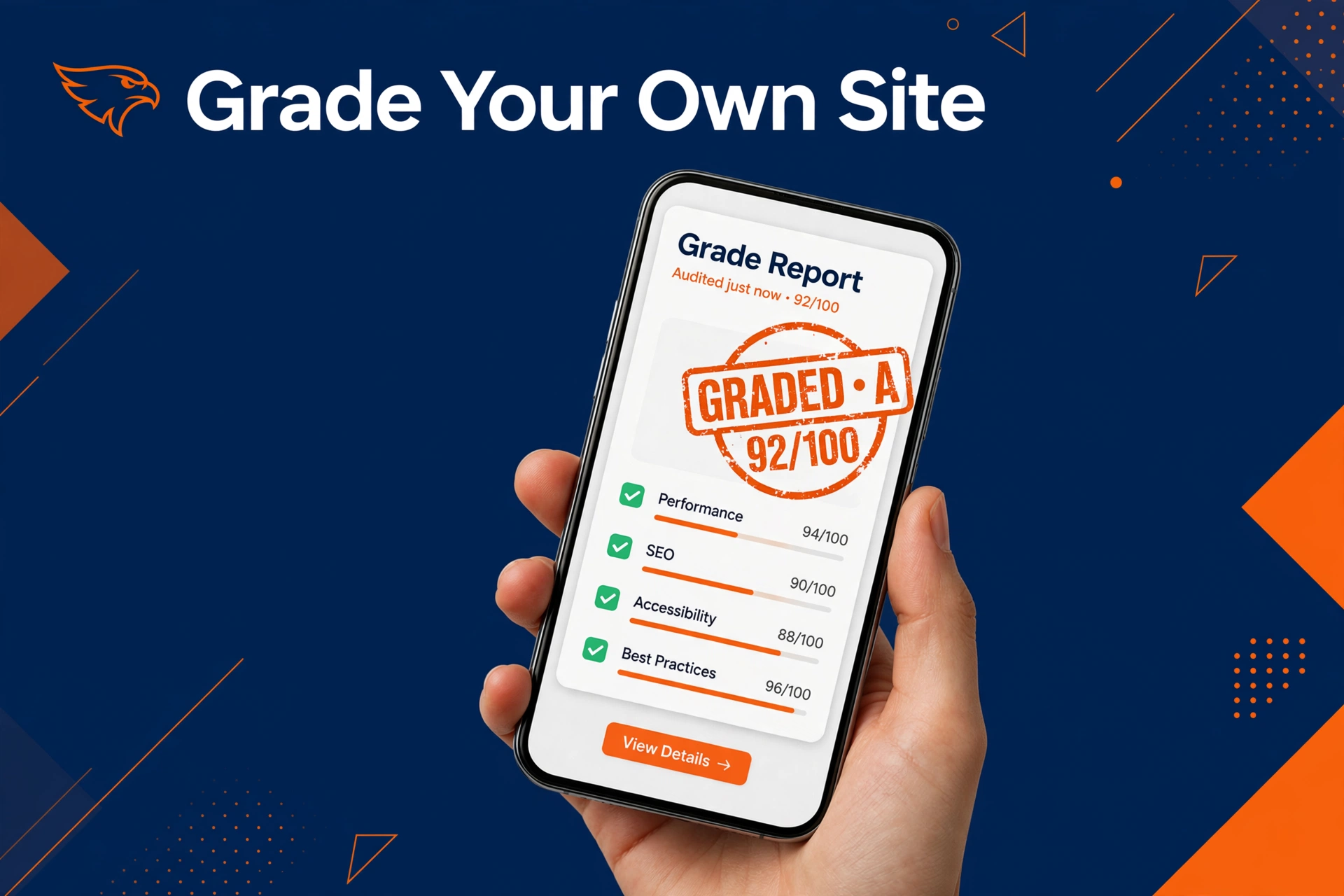
Screenshot this list and keep it.
- Does your phone number show at the top without scrolling?
- Does one tap on the number start a call?
- Does the main headline say what you do and where you work?
- Does the page load before you get impatient?
- Can you reach AC repair, or your top service, in two taps?
- Do you see real reviews with stars on the page?
- Are the photos your team, not stock models?
- Is there a short form with five or fewer fields?
- Does the site list the towns you serve?
- Is there a clear emergency or after hours option?
Seven or more yes answers: your site is in good shape. Keep it fast and keep reviews coming. Fewer than five: start with the fixes in this guide, or work through the full HVAC website checklist one item at a time.

Common Mistakes HVAC Owners Make
Paying for looks instead of calls. A beautiful site that does not ring is decoration. Judge every dollar by one question: will this bring more calls?
If the designer cannot answer that, find another designer.
Hiding the phone number. Some sites put the number only in the footer or on the contact page. Most visitors never get there.
The number belongs at the top of every page, in text big enough to tap.
One page for all services. We said it before because it matters that much. A single services page cannot rank for AC repair, furnace install, and tune ups at the same time.
Split them up.
Stock photos everywhere. Homeowners can spot stock in a second, and it tells them you had nothing real to show. Even a phone photo of your actual truck beats a polished fake.
Never updating the site. Old hours, old towns, reviews from years ago. A stale site tells visitors the business might be stale too.
Update hours, areas, and reviews at least a few times a year.
No way to book after hours. Breakdowns do not wait for business hours. If the only option is calling during the day, you lose every night and weekend lead.
Add a simple after hours form or booking option. If you would rather have help than do it all yourself, see our HVAC marketing services for contractors and what a full plan covers.
HVAC Web Design FAQs
How much does HVAC web design cost?
It depends on what you need. A site with a few service pages costs less than a large site with booking tools and many location pages. Ask what is included: pages, writing, photos, speed work, and support after launch.
Compare the full list, not just the price. We break down the cost factors in our HVAC website cost guide.
Does my HVAC website need to work on phones?
Yes. Most homeowners search for AC repair or furnace help on a phone, often during an emergency. Google also checks how your pages look on mobile as part of page experience.
Test your site on your own phone. If you have to pinch, zoom, or hunt for the number, you are losing calls.
How many pages should my HVAC website have?
Enough to cover each service you offer, plus your main service areas. One page for AC repair, one for furnace install, one for tune ups, and so on. Each page should answer real questions about that service.
A five page site can work for a small shop. Bigger companies often need more pages to cover more services and towns.
Template or custom design: which is better?
A good template can work if it is fast, mobile friendly, and easy to change. Many contractors start there. A custom design makes sense when you want a site built around your services, your towns, and your booking process from day one.
Either way, judge the site by calls booked, not by how fancy it looks.
How long does it take to build an HVAC website?
A simple site can be ready in a few weeks. A bigger site with many service pages, photos, and booking tools takes longer. The writing usually takes more time than the design.
If someone promises a full custom site in two days, ask what corners they are cutting. Good work takes a little time.
Should I rebuild my site or fix what I have?
If your site is slow or hard to use on a phone, a rebuild is often cheaper. Patching old tech forever costs more. If the design is fine and only speed or content needs work, fix it.
Use the decision table above to choose. When in doubt, get a second opinion before you spend.
What to Do Next
Your website should bring calls, not just sit there. If it is slow, hard to use on a phone, or missing service pages, fix that before you spend another dollar on ads. Good HVAC web design pays for itself when the phone keeps ringing.
Want a second pair of eyes on your site? Get our free website audit. We will check your speed, your mobile layout, and your service pages, then tell you plainly what is costing you calls.
10 new customers in 60 days, or your third month is free. See terms.